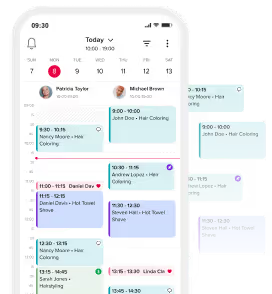
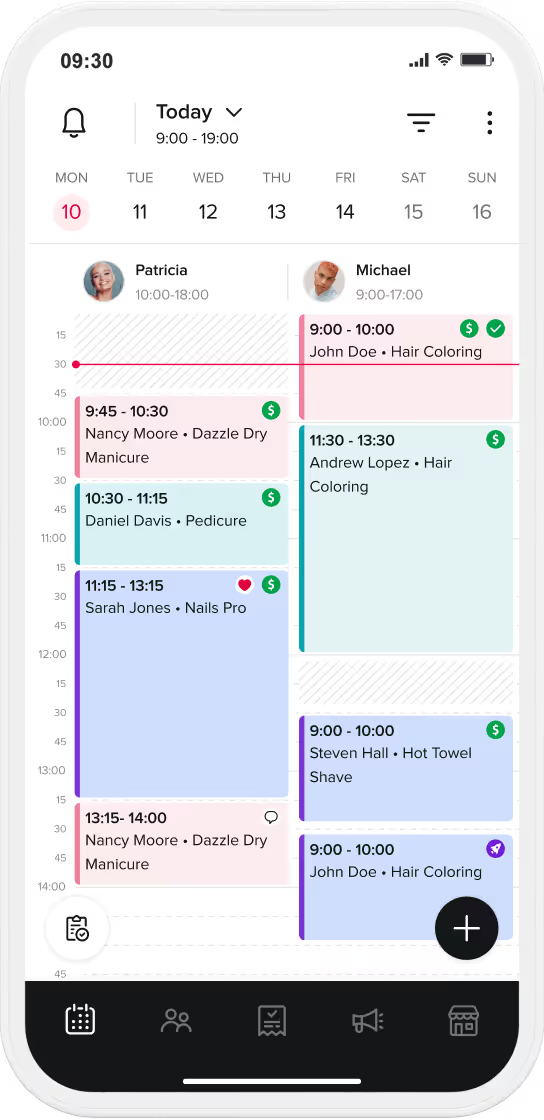
Web-based salon software, also known as cloud-based salon software, is a game-changer for modern beauty businesses. Unlike traditional desktop software, which must be installed locally on your computer, cloud-based solutions operate through a web browser. Think of it like online banking or email services—accessible anywhere, anytime.
In the beauty industry, tools like Booksy exemplify the power of cloud-based software. These systems offer countless advantages over outdated desktop tools: they’re easy to implement, more flexible, safer, and cost-effective. They also come packed with features like automatic backups, online booking, and real-time updates that traditional software simply can’t match.
TL;DR: 10 Reasons to Choose the Cloud
- Instant Setup: No hardware investment or complex installation is required; you can be up and running in minutes.
- Total Mobility: Access your business data 24/7 from any location, whether you are at home or on vacation.
- Device Agnostic: Seamlessly switch between smartphones, tablets, and laptops.
- Team Collaboration: Supports unlimited simultaneous users, allowing the whole team to stay updated in real-time.
- Security & Backups: Data is encrypted and backed up automatically, protecting you from hardware failure or theft.
- Automated Updates: New features and bug fixes are delivered instantly at no extra cost without disrupting your workflow.
- Access Control: Custom permissions allow you to decide exactly what data each staff member can see.
- Scalability: The software grows with your business, allowing for easy additions of new staff or services.
- Budget-Friendly: Low upfront costs and predictable monthly subscriptions replace expensive licenses.
- Risk-Free: Most cloud solutions, like Booksy, offer free trials so you can test the system before committing.
Let’s explore the 10 reasons why cloud-based salon software is the smarter choice for managing your business.
1. Easy to Implement and Use
Setting up cloud-based software is hassle-free. Since there’s nothing to install, you can start using it within minutes of signing up.
- No hardware investment: You don’t need to purchase expensive equipment to run it.
- Intuitive design: Cloud-based systems like Booksy are built to be user-friendly, so even staff with little tech experience can quickly learn how to use them.
- Get started fast: From scheduling appointments to managing client data, you can hit the ground running with minimal setup time.
2. Accessible 24/7 From Any Location
Cloud-based salon software gives you complete control of your business, no matter where you are.
- Check-in on your salon remotely: Whether you’re on vacation, traveling for work, or at home, you can log in from any internet-enabled device to see real-time updates.
- Stress-free management: Picture yourself relaxing on the beach while checking your salon’s appointments or revenue with just a few clicks.
- Quick problem-solving: If an issue arises, you can address it instantly without being physically present.
3. Works on Any Device You Use
Say goodbye to software limited by specific hardware requirements. Cloud-based systems work seamlessly across multiple platforms.
- Device flexibility: Use it on your smartphone, tablet, laptop, or desktop computer.
- Mobile-friendly: Access your salon’s information through a browser or a dedicated app like the Booksy app for even faster navigation.
- Switch with ease: Whether you’re moving between workstations or stepping out of the salon, your data is always accessible.
4. Supports Multiple Staff Members Simultaneously
Unlike traditional desktop software, which often limits usage to one device, cloud-based solutions empower your entire team to work together.
- Unlimited users: Staff can simultaneously book appointments, track sales, and check their schedules without interruptions.
- Enhanced teamwork: Everyone stays on the same page with real-time updates.
- Streamlined client service: Clients enjoy faster checkouts and fewer delays, enhancing their overall experience.
5. Better Control Over Data Access
With cloud-based software, you decide who has access to what.
- Custom permissions: Assign different access levels based on roles, so stylists, managers, and receptionists only see what they need.
- Security alerts: Systems like Booksy can notify you if unusual activity occurs, such as an employee accessing too much client data too quickly.
- Stay in control remotely: Even if you’re away, you can adjust permissions or monitor usage.
Implementation Checklist for Salon Owners
| Action Step | Cloud Benefit | Target Goal |
| 1. Sign Up | Immediate start with no hardware to install. | Efficiency |
| 2. Set Roles | Assign custom access levels for stylists and managers. | Security |
| 3. Sync Devices | Log in on smartphones and tablets simultaneously. | Flexibility |
| 4. Market | Use built-in tools like "Message Blasts" to grow your brand. | Growth |
6. Automatic and Free Updates
Gone are the days of purchasing new software versions or manually installing updates.
- Always up to date: Cloud-based systems automatically provide you with the latest features and bug fixes at no extra cost.
- No downtime: Updates happen in the background without disrupting your workflow.
- Stay competitive: As new tools and features are introduced, your software evolves to meet your growing business needs.
7. Safer and More Reliable Than Desktop Software
Data security is one of the biggest advantages of cloud-based solutions.
- Automatic backups: Your data is stored securely in the cloud, so you don’t have to worry about losing it due to hardware failure or theft.
- Advanced encryption: Sensitive information is protected with the same security protocols used by banks.
- No disruptions: If your computer crashes or is stolen, simply log in from another device and pick up where you left off.
8. Greater Flexibility for Your Business Needs
Cloud-based systems grow with your business, adapting to your changing needs.
- Customizable features: Use only the tools you need, from appointment scheduling to marketing campaigns.
- Scalable solutions: As your team or service offerings grow, you can easily add new users or expand your subscription.
- Enhanced marketing: Features like Booksy’s Message Blasts or Promotions allow you to attract and retain clients with targeted campaigns.
9. Cost-effective and Budget-Friendly
Cloud-based salon software is significantly more affordable than traditional desktop solutions.
- Lower upfront costs: No need to invest in expensive licenses, servers, or hardware.
- Pay-as-you-go pricing: Monthly subscription plans make it easy to budget without large upfront expenses.
- Free support: Systems like Booksy include professional technical support at no extra cost.
- No hidden fees: Cancel your subscription at any time without penalties.
10. Try It Risk-Free Before You Commit
Unlike desktop software, cloud-based solutions let you test the system before you invest.
- Free trial: Tools like Booksy offer a free trial so you can explore its features and see if it meets your needs.
- No obligations: You’re not locked into a contract, allowing you to cancel if it’s not the right fit for your salon.
- Free demos: Schedule a demo session to learn how cloud-based software can streamline your daily tasks and help grow your business.
Conclusion
Cloud-based salon software is the ultimate solution for modern beauty businesses. Its convenience, affordability, and advanced features make it far superior to traditional desktop systems. From automated updates and secure backups to 24/7 accessibility and multi-device compatibility, it’s designed to simplify salon management while empowering you to grow your business.
Cloud vs. Traditional Desktop Software
| Feature | Cloud-Based (e.g., Booksy) | Traditional Desktop |
| Accessibility | Anywhere via browser/app | Limited to one PC |
| Hardware | Works on any device | Requires high-spec PC |
| Data Safety | Automatic backups | Manual / High-risk |
| Updates | Real-time & Free | Manual & Expensive |
Ready to make the switch? Try Booksy for free today and see how it can revolutionize the way you run your salon!
Frequently Asked Questions (FAQ)
What is the main difference between cloud and desktop software?
Desktop software must be installed on a specific computer, limiting access to that hardware. Cloud-based software runs in a web browser, making it accessible from any device with an internet connection.
Is my client data safe in the cloud?
Yes. Cloud platforms use advanced bank-level encryption and perform automatic backups. If your physical computer crashes or is stolen, your data remains safe and accessible from a different device.
Do I have to pay for software updates?
No. Unlike traditional software that requires purchasing new versions, cloud-based systems provide automatic and free updates in the background.
Can multiple employees use the system at once?
Yes. Cloud-based solutions allow unlimited users to book appointments and track sales simultaneously, ensuring the whole team is synced.
How much does it cost to get started?
Cloud software is very budget-friendly because it requires no hardware investment or large upfront license fees. You typically pay a predictable monthly subscription.