Control your calendar

Our appointment scheduling app is fully customizable to meet the unique needs of your business. You decide how your clients can book, and when. We’ll take care of the rest.

Start free now
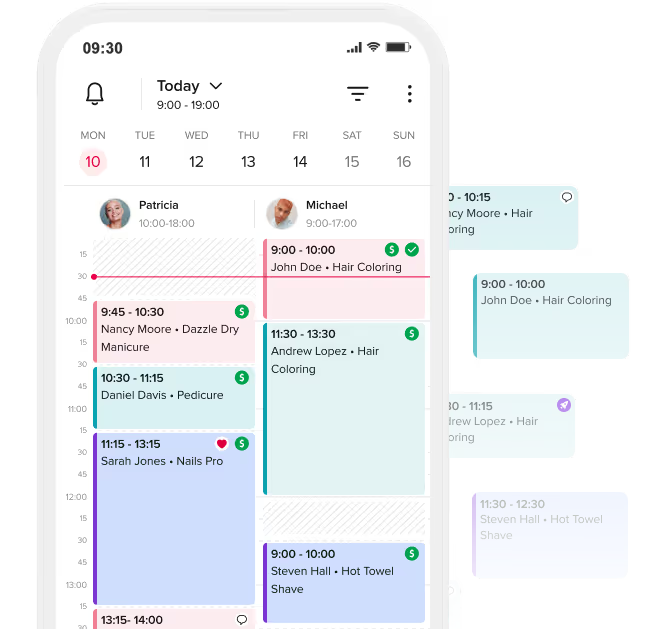
Mobile calendar app showing scheduled appointments for Patricia and Michael on the 10th, including hair coloring, manicure, pedicure, nails pro, and hot towel shave.
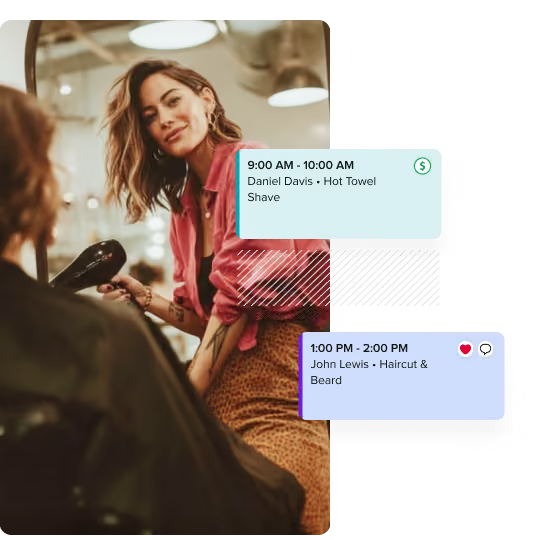
Woman with vibrant blue and orange hair wearing a royal blue blazer over a poolside background, with overlaid appointment cards for grooming services.

Easily manage your appointments, from anywhere

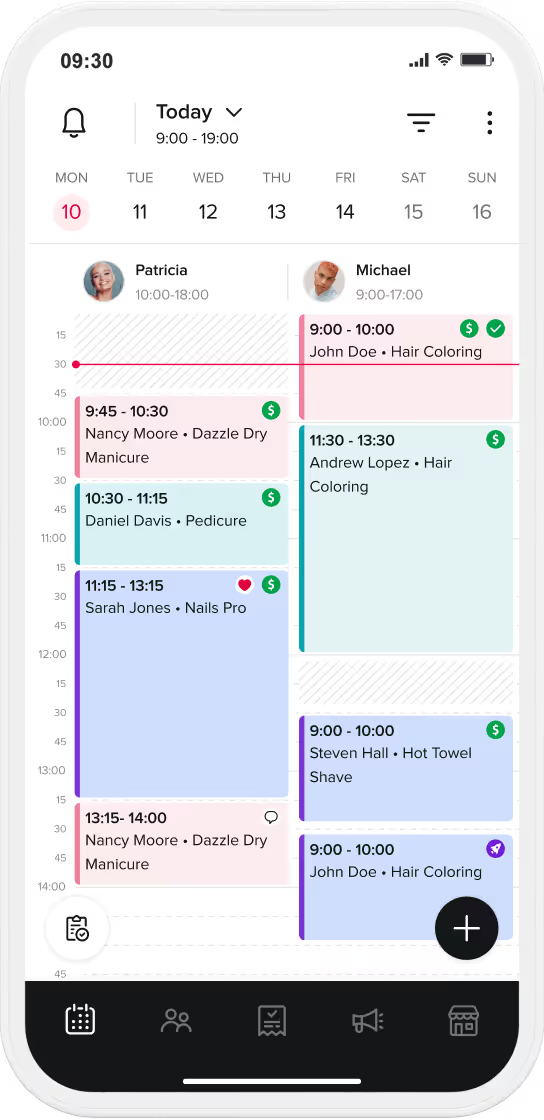
Stay on top of your schedule with a clear view of the week ahead.

  • Instantly access appointment and client info from any device
  • View all of your upcoming appointments at-a-glance
  • Drag-and-drop appointment blocks to instantly reschedule

Keep your schedule running like clockwork

  • Save time with online booking and automatic
 appointment confirmation
  • Stay booked out with recurring appointments for repeat
clients
  • Send clients automated appointment reminders and followup messages
  • Fill openings with automated Waitlists
Start free now
Smartphone screen displaying a scheduling app with upcoming appointments, first appointment time, a daily schedule overview, and options for appointment, checkout, and calendar.
Interface showing booking rules with toggle switches and a 10-minute dropdown, alongside a person with closed eyes and colorful braided hair marked as blocked, and close-up of hands with artistic nail designs.

Avoid surprises, stay in control

Online booking doesn’t mean giving up control. Set your boundaries - we’ll help you enforce them.

  • Set custom booking rules to avoid last minute appointments or rescheduling
  • Require manual appointment confirmation so no one gets on your books without your approval
  • Block specific clients from booking you online

Your calendar, just the way you want it

Create a system that works for you. Color code appointments, choose your calendar view, and build in buffer time between appointments if you need it.

The icons on the booking tiles give you an at-a-glance view of appointment details. Click on the booking tile to easily edit the appointment, view the client card, or checkout.

Calendar options

Optimize your time

Your time is precious. Our tools help you make the most of it – from filling open spots to maximizing your income.

Processing Time and Parallel Clients

Get intentional with your service downtime by making that time bookable. Bring in more money by servicing another client while you wait.

Start now
Mobile app settings screen with options to allow clients to book online, mobile service toggle, and dropdowns for interval, padding time, parallel clients, processing time during and after service.

Smart Schedule Optimization

We’ll adjust your available time slots to remove awkward gaps between services.

Smartphone screen showing booking settings with options to automatically confirm bookings disabled and avoid gaps between services enabled, plus booking rules for advance booking and rescheduling times.

Automated Waitlist

When your calendar is full, clients can join your waitlist. We’ll automatically notify them if something opens up and invite them to book.

Mobile screen showing a calendar with date 20 highlighted, message stating no availability left on this date, and buttons to find the first available date or get notified if availability opens.

Combo Services and Add-Ons

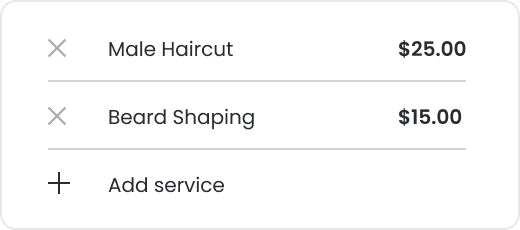
Make the most out of each appointment – package multiple services together or easily offer add-ons – we’ll automatically block off time in your calendar.

Mobile screen showing a list of add-on beauty services with prices, including nail art for $40+, nail repair for $6, shellac soak off for $20, after treatment blowdry for $70, and hot stones massage for $15.

Customize every detail to meet your business needs

Button with text 'Add time off' and a clock icon on a pink background.

Set your working hours, breaks and time off

You deserve time to rest and disconnect. We’ll make sure no one can book during your “you” time.

Toggle switch with percentage selected and dollar sign option.

Different services, different rules

Customize booking rules for each service. You decide if clients can book online and whether that service requires a deposit or cancellation fee.

Two dropdown menus on a teal background showing time options of 5 minutes and 10 minutes.

Advanced service settings

 Get specific about service length, processing time, and buffer time needed before or after the service.

Treatments scheduled by the client

This is the default text value

This is the default text value

Tips & tricks

Person with blonde hair and glasses sitting at a table with art supplies and a colorful graffiti wall in the background.

Spifster's Tips & Tricks: Waitlist

Person with blonde hair, wearing glasses and a dark green sweatshirt with orange letters, gesturing with their hand near their face.

Spifster's Tips & Tricks: 24/7 Booking

More to love

Four stacks of coins increasing in height from left to right with a small plant sprouting from the tallest stack, symbolizing financial growth.

Online Self-Booking

Empower clients to book from anywhere to save time and keep your calendar booked and busy.

Learn more
Four stacks of coins increasing in height from left to right with a small plant sprouting from the tallest stack, symbolizing financial growth.

Client Management

Keep a dynamic database of client contact info, booking history, photos, and notes.

Learn more
Four stacks of coins increasing in height from left to right with a small plant sprouting from the tallest stack, symbolizing financial growth.

Boost

Turn on the Boost marketing feature to get even more exposure to clients near you.

Learn more