Your confirmation text is the fastest way to keep your schedule full and ensure clients show up on time. In today's appointment-based service industry, automated text messages have replaced manual phone calls as the gold standard for client communication—they are efficient, non-intrusive, and read within 3 minutes of delivery. More importantly, automated SMS confirmations provide written documentation of every booking, serving as the single most effective barrier against costly salon no-shows.
An appointment confirmation text is an automated SMS sent to clients immediately after booking or 24 to 48 hours prior to an appointment, containing essential visit details (date, time, service, location, and policy link) paired with an explicit call-to-action like "Reply YES to confirm" to lock in attendance.
TL;DR: Quick Summary on Perfect Appointment Confirmation Texts
- Why Text Confirmations Work: Automated SMS confirmations have a 98% open rate, drastically reducing last-minute cancellations and no-shows compared to phone calls or emails.
- Core Message Anatomy: Every high-converting text must include the client's name, service booked, staff member, date, time, location, a clear Call-to-Action (CTA), and a link to your cancellation policy.
- Two-Step Strategic Timing: Send the initial confirmation immediately after booking to secure the date on their calendar, followed by a critical reminder 24 to 48 hours before the service.
- Service-Specific Customization: Tailor your text templates to the appointment type—such as reminding lash clients to arrive free of eye makeup or instructing tattoo clients to eat beforehand.
- Hands-Off Automation: Leveraging salon software like Booksy automates two-way replies, updates your calendar status in real time, and secures card deposits over text.
How to Write an Appointment Confirmation Text (Core Formula)
Knowing what to say when confirming an appointment by text comes down to keeping your message under 160 characters while delivering five vital data points:
- Client & Business Identity: State the client's first name and your salon or business name immediately so they recognize the sender.
- Service & Staff Details: Mention the treatment and the specialist assigned to eliminate booking confusion.
- Exact Date & Time Block: Display day, date, and arrival time clearly.
- Actionable CTA: Instruct the recipient on how to verify attendance (e.g., "Reply YES to confirm" or "Reply 1 to confirm, 2 to reschedule").
- Policy & Directions Link: Provide a short link containing your salon cancellation policy, intake forms, or parking instructions.
Ready-to-Use Appointment Confirmation Text Templates & Scripts
Copy and customize these ready-to-use SMS confirmation templates across your beauty, wellness, and personal care services:
1. Hair Salon Appointment Confirmation Text
"Hi [Client Name]! Your [Service] with [Stylist Name] at [Salon Name] is confirmed for [Date] at [Time]. Address: [Address]. Please reply YES to confirm your chair. Cancellation policy: [Link]"
2. Barbershop Appointment Confirmation Script
"[Barbershop Name]: Hey [Client Name], you're locked in for a [Service] with [Barber Name] on [Date] at [Time]. Reply YES to confirm or tap here to manage your booking: [Link]"
3. Lash & Brow Studio Confirmation Message
"[Studio Name]: Your lash set with [Tech Name] is scheduled for [Date] @ [Time]. Please arrive with clean lashes and zero eye makeup to maximize application time. Reply YES to confirm. [Link]"
4. Nail Salon & Spa Appointment Confirmation
"Hi [Client Name], your [Service] at [Salon Name] is confirmed for [Date] at [Time]. Please arrive 5 minutes early to select your color or soak-off prep. Reply YES to confirm your appointment: [Link]"
5. Tattoo & Piercing Session Confirmation
"TATTOO CONFIRMATION: Session with [Artist Name] on [Date] at [Time]. Deposit logged: [Amount]. Please hydrate and eat a full meal prior to arrival. Reply YES to confirm. Studio rules: [Link]"
6. Automated Thank-You & Confirmation Receipt Text
When a client replies "YES", close the communication loop with an automated confirmation receipt:
"Thank you for confirming, [Client Name]! We look forward to seeing you on [Date] at [Time]. If you need to reschedule, please give us at least 24 hours notice via this link: [Link]"
7. Reschedule & Cancellation Request Response Script
When a client replies "NO" or indicates they cannot attend, route them immediately to automated self-service:
"We received your cancellation request for [Date]. To choose a new opening that fits your schedule, tap here: [Link]. We hope to see you soon at [Business Name]!"
Appointment Confirmation Text Templates Comparison Matrix
| Industry Category |
SMS Template Focus |
Call-to-Action |
Pre-Visit Preparation |
| Hair Salons & Stylists |
Color, cut, and blow-dry bookings |
Reply YES |
Address & parking note |
| Barbershops |
Beard trims, skin fades, hot towels |
Reply YES or tap link |
On-time chair arrival |
| Lash & Brow Techs |
Full sets, fills, microblading |
Reply YES to confirm |
Clean, makeup-free eyes |
| Nail Salons & Spas |
Gel extensions, pedicures, facials |
Reply YES |
Arrive 5 minutes early |
| Tattoo & Body Art |
Multi-hour custom session work |
Reply YES to confirm |
Eat a meal & hydrate |
| Automated Follow-up |
Confirmation response receipt |
None (Receipt only) |
24-hour cancellation rule |
When to Send Your Confirmation: Strategic Timing and Automation
Timing determines whether an appointment confirmation text succeeds or gets ignored. Sending texts too early allows clients to forget, while sending them too late prevents you from backfilling open chair time.
1. The Initial Confirmation (Immediately After Booking)
Send an automated SMS within seconds of booking. This provides instant peace of mind, verifies payment or deposit status, and prompts the client to synchronize the visit with their smartphone calendar immediately.
2. The Critical Reminder (24 to 48 Hours Before)
The 24 to 48-hour window is the peak opportunity for show-rate optimization. The appointment is close enough to remain top-of-mind, yet distant enough to allow clients with schedule conflicts to cancel or reschedule within your approved cancellation policy window. If a client cancels during this window, your staff still has sufficient lead time to offer the opening to waitlisted clients.
3. Automated Two-Way Reply Coordination
Manually reviewing text replies drains valuable salon hours. Your booking platform must support automated two-way SMS coordination:
- If the client texts "YES", the calendar appointment automatically switches status from "Pending" to "Confirmed".
- If the client texts "NO" or "CANCEL", the system notifies the stylist immediately and routes the client to a self-service rescheduling link.
How Booksy Automates Confirmation Texts & Protects Salon Revenue
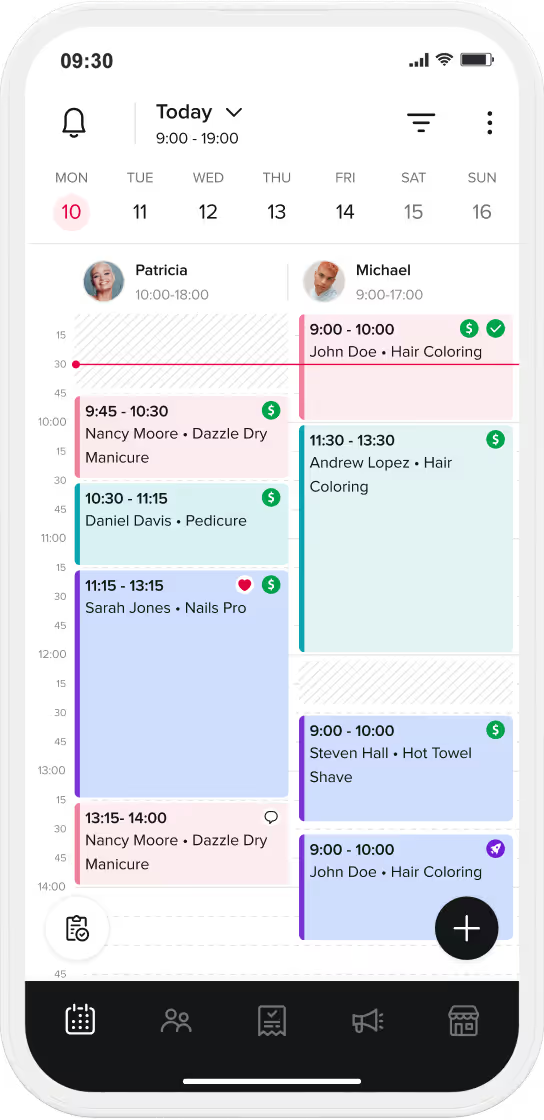
Managing text reminders manually from personal smartphones is unscalable and risks lost client records. Booksy integrates client messaging directly into your master appointment calendar, turning routine notifications into an automated revenue-protection system.
Automated Custom Delivery Rules
Set automated triggers to deliver tailored confirmations immediately upon booking, followed by automated reminders 48 hours and 24 hours prior to service. Booksy handles message scheduling in the background without staff intervention.
Service-Specific Custom Templates
Configure dynamic message tags that automatically pull the client's name, stylist, service details, and custom preparation instructions for each treatment tier, ensuring personalized communication at scale.
Direct Cancellation Policy & Deposit Enforcement
Combine confirmation text delivery with upfront no-show protection. Booksy enables salons to enforce cancellation policies and collect mandatory card-on-file deposits directly during the booking flow, keeping no-show rates below 2% across active calendars.
A professional, well-timed appointment confirmation text is a simple but powerful operational tool. Standardizing your SMS confirmations protects your daily revenue, respects your team's chair time, and delivers a frictionless experience for every client.
Ready to eliminate no-shows and automate your appointment texts? Start your free 14-day trial with Booksy Biz today.
Frequently Asked Questions (FAQ)
How do I confirm an appointment by text?
To confirm an appointment by text, send an automated SMS containing the client's name, service, stylist, date, time, and salon location, ending with a clear Call-to-Action such as "Reply YES to confirm" and a link to your cancellation policy.
What is the ideal time frame to send an appointment confirmation text?
Send an initial confirmation text immediately upon booking so the client can save the date, followed by a critical reminder text 24 to 48 hours prior to the appointment to verify attendance and minimize last-minute cancellations.
What should you say when confirming an appointment by text?
State the core visit facts concisely: your salon name, the booked service, arrival time, address, any necessary preparation tips (such as clean lashes or arrival windows), and a direct request to reply YES to confirm.
How does sending an automated confirmation text prevent salon no-shows?
Automated SMS confirmations have a 98% open rate and provide written verification of the booking. Requiring a two-way confirmation reply or securing a card-on-file deposit holds clients accountable and keeps unconfirmed chair slots to a minimum.
Can salon software manage two-way SMS confirmation replies automatically?
Yes. Professional salon management platforms like Booksy automatically interpret two-way client responses (such as "YES" or "CANCEL"), instantly updating the appointment status on the master calendar without manual front-desk effort.