Hairdressing Salon Price Lists: How to Design an Effective Menu That Wins Clients
by
Booksy Team
8
minutes read
April 9, 2026
Table of Content
A hairdressing salon price list is a structured menu of professional hair services, pricing tiers, and service durations that communicates service value, guides purchasing decisions, and drives salon profitability. The most effective salon price lists use clear service categorization - such as haircuts, single-process coloring, balayage, and restorative treatments - combined with transparent "from" pricing and digital menu integration to maximize bookings.
Price List Format
Primary Advantages
Best Use Case
Digital Menu on iPad / Tablet
Real-time price updates, zero reprinting costs, visual portfolio integration
24/7 accessibility, direct booking link integration, high search visibility
Prospective clients researching prices before booking
Printed Trifold / Booklet
Tangible brand touchpoint, premium paper texture, physical browsing
Luxury boutique salons & seated client stations
For hair salon owners, the price list isn't just a catalog of services and their costs; it's a vital communication tool and a cornerstone of your business's profitability. A well-designed menu informs your clients about what you offer, sets expectations, builds trust, and ultimately drives revenue.
With today’s technology, where information is readily available, a confusing or poorly structured price list acts as a silent deterrent. This guide provides actionable strategies, structural design principles, and downloadable templates to help you craft an effective hairdressing salon price list.
TL;DR: Quick Summary on Designing an Effective Salon Price List
Know Your Audience: Structure prices and services (e.g., budget vs. luxury) to match your ideal client's spending habits.
Be Clear and Simple: Categorize services logically (Haircuts, Coloring, Treatments). Use transparent, descriptive "from" pricing.
Reflect Value: Set prices based on cost analysis, competitive rates, and the perceived value of your expertise.
Prioritize Design: Ensure your list is branded, accessible, and promote it everywhere across digital and print formats.
Bonus Resource: Download our free, customizable price list templates to quickly get started with a professional layout.
Why Salons Are Switching to Digital Price Lists on iPads
Displaying a digital price list on an iPad or tablet in the salon reception area replaces static printed menus with dynamic, interactive communication. Salons show price lists on iPads to streamline operations, eliminate recurring printing expenses, and enhance client engagement during consultations.
Benefits of Digital Price Lists for Salons
Digital price lists offer significant operational advantages over traditional paper menus:
Feature / Metric
Digital Price List (iPad / Tablet)
Traditional Printed Price List
Price Update Speed
Instant (updated via cloud POS/software)
Slow (requires re-design and printing)
Recurring Cost
$0 per update
High (reprinting paper, cardstock, laminating)
Visual Richness
High (supports photo lookbooks & video transformations)
Limited (static images only)
Booking Integration
Direct QR code or touch-screen appointment booking
Manual staff interaction required
Hygiene & Maintenance
Easy screen sanitization
Paper wears out, tears, or stains over time
Switching to digital price lists on iPads allows stylists to show high-resolution photos of past work alongside exact service costs. This visual proof increases client willingness to purchase add-on treatments like glossing or deep conditioning.
How Booksy Transforms Digital Price Lists into Instant Bookings
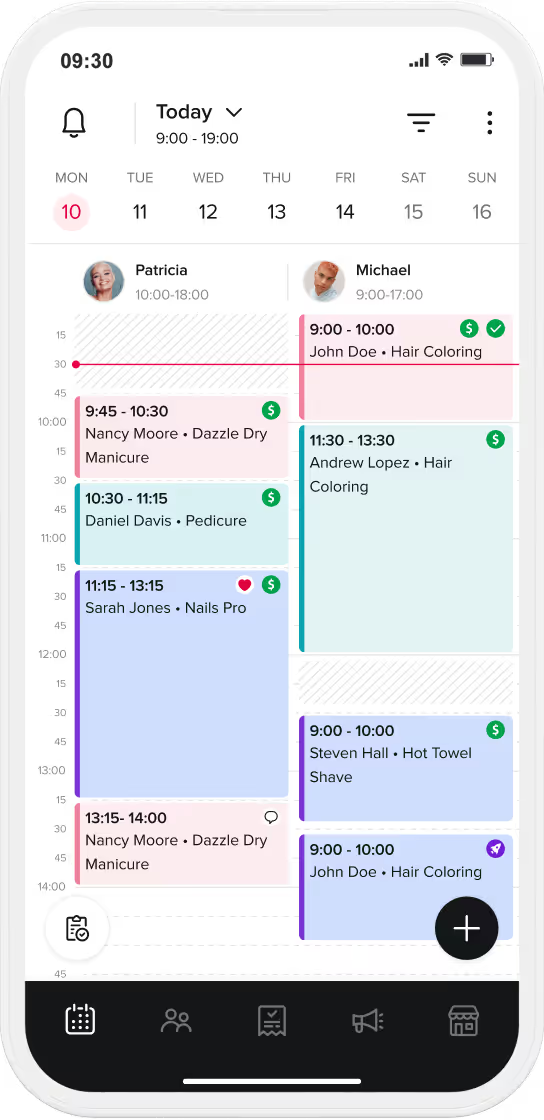
A digital price list on an iPad reaches its full commercial potential when integrated with a salon management system like Booksy. Traditional static menus require clients to call or ask reception to book a service after viewing costs.
Integrating your iPad menu with Booksy Marketplace creates a seamless digital conversion funnel:
Direct Touch-to-Book Experience: Clients browsing your tablet price list tap a service or scan a station QR code to view live stylist availability and book appointments immediately.
24/7 Marketplace Visibility: Your digital service menu automatically syncs with your Booksy profile, exposing your exact services and transparent pricing to millions of active local clients on the Booksy Marketplace.
Automated Price & Service Sync: Updating a price, adding a seasonal balayage package, or adjusting service durations in your Booksy account instantly updates your in-salon iPad menu, your website, and your marketplace profile simultaneously.
Up-Selling and Add-on Promotion: Digital menus powered by Booksy automatically prompt clients with complementary add-on treatments - such as hair glossing or scalp therapies - during the digital booking flow, increasing average transaction value.
Pricing Strategies: How to Calculate Your Salon Rates
Setting your prices requires a delicate balance between covering your overhead costs, reflecting your expertise, and remaining competitive within your local market. Before designing your physical or digital menu, you must evaluate stylist wages, product consumption costs, and operational overhead to ensure profitability.
How to Categorize Hairdressing Services for Maximum Clarity
Categorizing hairdressing services prevents client confusion, structures menu navigation, and highlights your core service offerings. Breaking down a service menu into logical categories helps prospective clients quickly evaluate options and select appropriate appointments.
Essential Service Categories for Hair Salons
Standard hairdressing price lists organize services into 6 core operational categories:
Haircuts & Trims: Segment this category clearly between Men's Cuts, Women's Cuts, Children's Cuts, and specialized Restyling. Specify whether blowouts or styling are included in the baseline rate.
Coloring Services: Separate single-process color application from multi-dimensional technique services. List Root Touch-Ups, All-Over Color, Partial Highlights, Full Head Balayage, and specialized Color Correction individually.
Restorative Treatments: Detail specific hair therapies, including Deep Conditioning, Scalp Detoxification, Keratin Smoothing, and Bond-Building Treatments.
Styling & Event Hair: Differentiate everyday Blowouts from special occasion Updos, Bridal Styling, and heat-styling add-ons like flat-iron or curling finishing work.
Hair Extensions: Detail initial Consultation Fees, Installation Costs based on hair length/method, Removal Fees, and routine Maintenance Appointments in a dedicated section.
Add-Ons & Extras: Clearly list small additional charges - such as extra color bowl fees for long or thick hair, toners, or specialized brow/beard grooming - to ensure complete price transparency before the service begins.
Category
Included Specific Services
Pricing Best Practice
Haircuts
Men's, Women's, Children's, Bang Trims, Restyling
Differentiate by hair length or stylist experience level
Coloring
Root Touch-Up, Balayage, Highlights, Gloss/Toner
Use "from" pricing and note mandatory consultations for corrections
Treatments
Keratin, Olaplex/Bond Builder, Scalp Therapy, Deep Moisture
Offer standalone prices or discounted add-on rates with cuts
Bundle complementary services to increase average ticket size
Key Design Principles for an Effective Salon Price List
Presenting your price list effectively requires clear typography, transparent pricing terminology, and visual alignment with your salon's brand identity.
Transparent "From" Pricing Structure
Using "from" pricing (e.g., "Full Balayage: from $150") establishes transparent baseline expectations while allowing price adjustments based on hair density, product volume, and labor time. Clearly communicate potential additional product charges during the initial consultation to maintain client trust.
Descriptive Service Titles
Replacing generic terms with descriptive titles clarifies service scope. Using "Partial Highlights - Crown & Part Line" instead of "Highlights" informs clients about exact technical placement and prevents misunderstandings during checkout.
Format & Layout Options
Salons choose between 3 structural layout formats based on menu complexity:
Single-Page Menu: Ideal for specialized boutique salons or independent stylists offering a streamlined service menu.
Multi-Page Booklet: Works best for full-service luxury salons offering extensive chemical, treatment, and aesthetic menus.
Trifold Brochure: Provides a balanced printed option that fits reception counters and station displays easily.
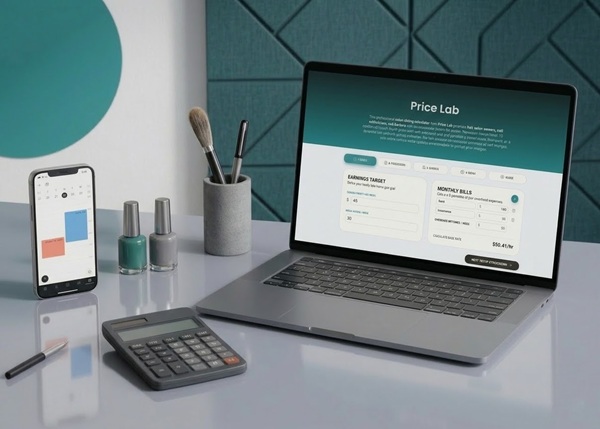
Stop Losing Your Profit
Calculate your exact costs and set prices that actually make you money.
Downloading pre-designed, professional templates accelerates price list creation and ensures visual alignment with industry standards. Customize these downloadable PDF templates with your salon logo, specific service offerings, and updated pricing tiers:
Promoting your service menu ensures existing and prospective clients easily access pricing information across physical and digital touchpoints:
Website & App Integration: Feature your complete price list prominently on your website homepage and link it directly to your online booking engine.
In-Salon iPad & Station Displays: Position tablet menus at reception desks and individual styling chairs to encourage browsing during service consultations.
Social Media Highlights: Create dedicated Instagram and Facebook highlight reels displaying categorized price lists and seasonal promotional packages.
Consultation Workflows: Stylists reference the digital price list during initial consultations to confirm service scope and estimated costs before applying product.
Conclusion
Designing an effective hairdressing salon price list requires logical service categorization, transparent pricing structures, and dynamic digital menu presentation. Transitioning from static paper menus to interactive digital price lists on iPads streamlines salon operations, eliminates reprinting costs, and boosts average transaction values through automated add-on promotions.
Booksy provides the industry-leading salon management software to digitize your service menu, sync prices across all channels in real time, and convert menu views into instant online bookings. Start your free trial with Booksy today to elevate your salon pricing strategy and automate your scheduling workflows.
Frequently Asked Questions About Salon Price Lists
Why is a well-designed price list crucial for my salon?
A well-designed price list sets clear financial expectations before services begin, builds client trust through pricing transparency, reflects professional brand quality, and protects salon profit margins.
Why do salons show price lists on iPads?
Salons show price lists on iPads to eliminate recurring paper printing costs, update service rates instantly via cloud POS software, showcase visual photo portfolios during consultations, and enable direct touch-screen appointment booking.
How should I categorize my hairdressing services?
Categorize services logically into clear operational sections: Haircuts, Single & Multi-Process Coloring, Restorative Hair Treatments, Event Styling, Hair Extensions, and Add-on Extra Services.
Should I use "from" pricing on my salon price list?
Yes, using "from" pricing maintains rate transparency while providing necessary flexibility to adjust final ticket costs based on hair length, hair density, extra color bowl usage, or stylist seniority levels.
What are the main benefits of digital price lists for salons?
The main benefits of digital price lists include $0 recurring printing expenses, instant cloud price updates, 24/7 online booking integration, and higher client conversion on add-on treatments.