Most nail techs start with a price list that looks like this: full set, $45. Fill, $30. Pedicure, $35.
Simple. And it's costing you money every day.
A flat rate can't tell the difference between a client with short, bare nails and one who shows up with three weeks of old acrylic and wants a full art set on all ten fingers. Same appointment slot on your calendar. Wildly different amount of work, product, and time.
The fix isn't complicated. It just means structuring your list the way your appointments actually work: by category, then length, then art, then everything else you're probably already doing for free.
Here's how to build it out, step by step.
Before you price a single service, group what you offer into clear categories. Think of these as the main sections of your menu:
Categories keep your list scannable for clients and easier for you to manage. If someone's searching for "acrylic full set," they shouldn't have to scroll past ten pedicure options to find it.
Inside each category, list your actual bookable services.
Under Acrylic, that might be:
Under Gel/No-Chip, that might be:
Each of these is a distinct service with its own name, its own base price, and its own base appointment time. This is your foundation. Everything else in this guide builds on top of it.
Here's where most price lists fall short. A full set on short natural nails and a full set with extra-long extensions are not the same service. They don't use the same amount of product, and they definitely don't take the same amount of time.
Instead of one flat price, set up length as its own booking option and pricing variant within the service:
(Example numbers only. Set your own based on your market, skill level, and product costs.)
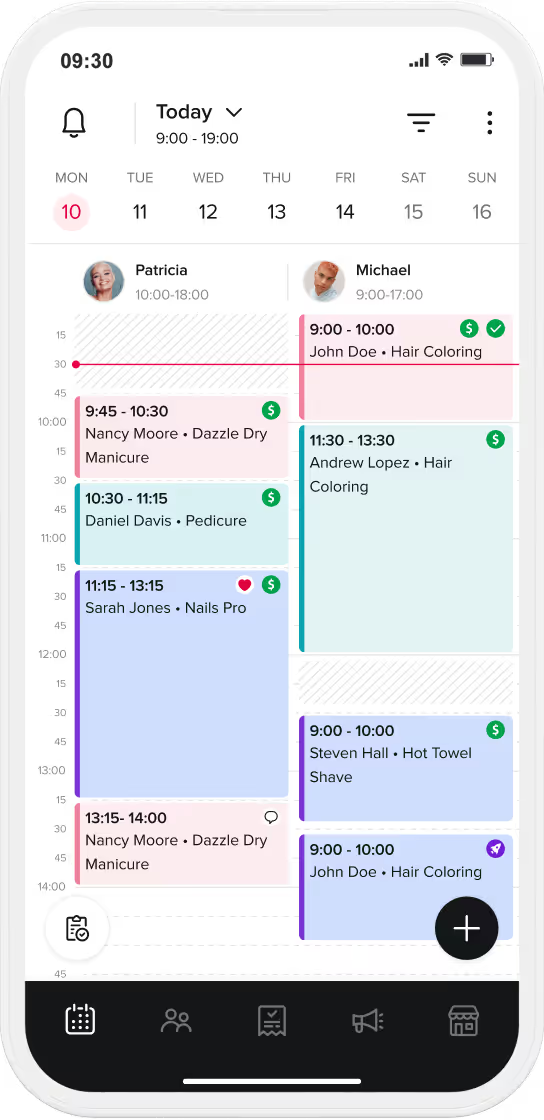
Your client picks the length that fits when they book. You get paid for the extra product and the extra time, without ever having to bring it up in person. All is organized under the main service, so you’re not listing out every single option as a separate service.
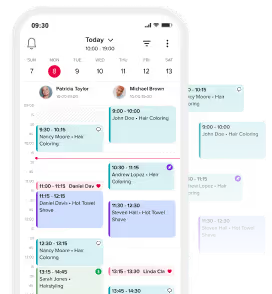
Nail art is where a lot of skill and time disappears into a flat price. If you're eyeballing a design and quoting on the spot, you're leaving money on the table more often than not.
Set up nail art as an add-on with a few clear tiers, so the client picks their level at the time of booking:
This does two things. It sets expectations before they sit down, so nobody's surprised at checkout. And it makes sure your calendar actually has room for the extra time complex art takes, instead of running you 40 minutes behind on every "quick design."
If a client is coming in wearing someone else's (or their own old) acrylic, gel, or dip, that's extra time before you even start the new service. This step gets skipped constantly, and it's one of the biggest reasons nail techs run behind all day.
Set up removal or soak-off as its own add-on option clients select when they book:
You don't have to charge extra for it. But you do need to block the time. A "quick fill" that's actually a full soak-off and rebuild will wreck your schedule for the rest of the day if it's not built into the booking.
Once length, art, and removal are covered, this is where you can build in the small upgrades that turn a $55 appointment into a $75 one, without adding much time at all:
List these as optional add-ons clients can select right at booking. Most clients won't ask for an upgrade on their own. But they'll say yes when it's sitting right there as a simple tap. This is how your price list can help you upsell clients during the booking process to earn more from every appointment.
Your prices, your skill level, and what clients expect all shift over time. Review your menu every few months. Are your art tiers still matching how long those designs actually take you now that you're faster at them? Is your removal add-on covering the time it really takes? Small adjustments now save you from a painful across-the-board price hike later.
Calculate your exact costs and set prices that actually make you money.
Try Salon Pricing CalculatorOnce you’ve mapped out your categories, length variants, and art tiers using the steps above, the next step is presenting your menu in a clean, professional format. You don't have to design your price list from scratch—you can download our free, fully customizable PDF menu templates below to jumpstart your salon's layout:
Sophisticated fonts, muted color palettes, and a structured layout that exudes timeless charm and luxury.
Modern & Minimalist Menu Designs
Clean lines, crisp sans-serif fonts, ample white space, and often monochromatic or limited color schemes.
Designed to highlight a specific focus, such as a dedicated nail art studio, a spa-centric nail salon, or seasonal offerings. Think playful fonts, vibrant colors, or thematic illustrations.
Digital Menu Showcase
Our templates are available as downloadable PDFs that you can easily edit and use. These free templates are versatile, perfect for printing and displaying in your salon, or for sharing digitally with your clients.
.webp)
.webp)
.webp)
.webp)
.webp)
.webp)
.webp)
.webp)
Building a menu like this on paper is one thing. Making sure it actually works at checkout, without you having to remember every upsell or manually add time, is another.
Booksy's service settings are built with exactly this structure in mind. Set up your core services by category, add Service Variants for length (each with its own price and duration), and layer in Add-ons for nail art tiers, removal, and every extra you offer. Clients pick what they need right when they book, so you're never guessing, never underquoting, and never running short on time. Clients see the combined price and length at the time of booking, so there are no surprises or awkward conversations when they’re in front of you.
It's the difference between hoping clients mention they need a soak-off and knowing your calendar already has room for it, and knowing you'll get paid for it either way.
Ready to build a service menu that actually reflects your work? Try Booksy free and set up your services in minutes.
Flat-rate pricing treats every client the same regardless of nail length, old gel/acrylic removal, or art complexity. An appointment for a short set takes significantly less time and product than an extra-long set with intricate art, yet a flat rate charges the same amount and blocks the same calendar slot, causing you to lose revenue and run behind schedule.
The best approach is setting up nail art as a tiered add-on option during booking:
Whether you charge a separate fee (e.g., +$15) or offer it as a complimentary service, you must always require clients to select a removal add-on when booking. Removing old product requires 20 to 30 additional minutes, and failing to block this time on your schedule will wreck your calendar for the rest of the day.
Set up nail length as a booking option or pricing variant directly under your core service (e.g., Short, Medium, Long, Extra Long). Each variant should have its own base price and appointment duration to automatically cover the extra product and chair time needed for longer extensions.
Yes. A printed PDF menu displays your service categories clearly in your salon and sets immediate expectations for clients. You can then mirror these exact categories, length variants, and art tiers inside Booksy so clients get combined pricing and automated time blocking when booking online 24/7.